Updates & Announcements for July
It is officially summer! We hope you are continuing to keep yourselves safe while enjoying the increase in foot traffic through your store. We have been equally as busy adding and updating features, and of course getting out first registers shipped out! It has been exciting to say the least.
Some changes to be on the lookout in Quail that we made this month:
Allow stores to disable returns button and disable layaway in sidebar by setting
We understand some stores, maybe a lot of stores, do not allow returns. While we’ve always had returns as a feature in Quail, we’ve had a few stores recently ask for the ability to turn them off – mostly so their clerks don’t ignore their store policy and issue refunds anyway.
If that sounds like something you’d like to do – if you don’t issue returns or refunds, and you’d like to just hide the feature – you can go into your settings page in Quail and turn them off.
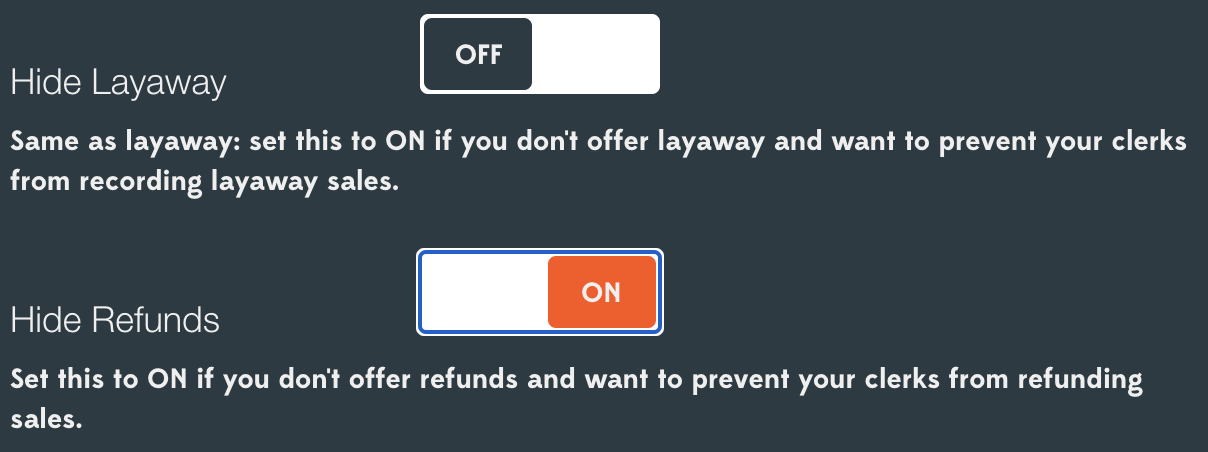
In fact, we know a lot of stores don’t do layaway, either – we don’t offer layaway in our own stores! – so we went ahead and added an option to disable the layaway tracking system, too. If you don’t issue refunds and you don’t offer layaway, you can now make your Quail even simpler to use by just hiding those features.
Print store address + phone on receipts
This is a little one, but a couple of folks asked if they could have their store’s contact details printed on customer receipts. You’ve probably noticed this one already, but as of this month when you print receipts you’ll see your address and – if you’ve put it in – your phone number printed on your receipts:
Don’t see ‘em? Open up your store settings page and make sure you’ve put in an address and phone number!
Show vendor name in booth lookup
Another little update – if you use the booth picker instead of typing in the booth number while ringing up sales, you’ll notice that it now shows you the vendor name in addition to the booth number. Hopefully that’ll help you in those times when you need to ring an item up to a particular vendor but you don’t know their booth number.
Show sales, sales+tax in store totals report (columns for vendors) and excel
To remove any confusion as to what was collected from the store in terms sale price, or tax, there are now separate columns for sales and sales + tax
(and) Show line-item total in items report
Last month we updated the store reports, and got some excellent feedback from a couple of clerks. You may notice that there’s now an extra column in the store totals report (and the Excel export, if that’s a thing you use) that shows your sales both with and without sales tax. We’ve also added a column to the items report that shows the line-item total (each item’s price, multiplied by the number of items and with tax added).
Both little additions, but we hate doing unnecessary math as much as anybody else. So hey! No more subtracting sales tax every time to figure out what your daily totals should be.
Register now supports cash drawers
We started shipping our new Quail Register this month. Right before shipping we added one more feature, support for a cash drawer. Now when you complete a sale, a cash drawer opens and the receipt prints through the thermal receipt printer. The complete solution!
If that sounds like something you could use, email support@quailhq.com for more information or to order your register.
Vendor App updated look with bug fixes
Oh, and one more thing – we’ve updated the vendor app for smartphones, so now’s a great time to tell your vendors to check that out (it’s free, and they can download it for iOS and Android from https://support.quailhq.com/announcing-vendor-app/) if they haven’t already.
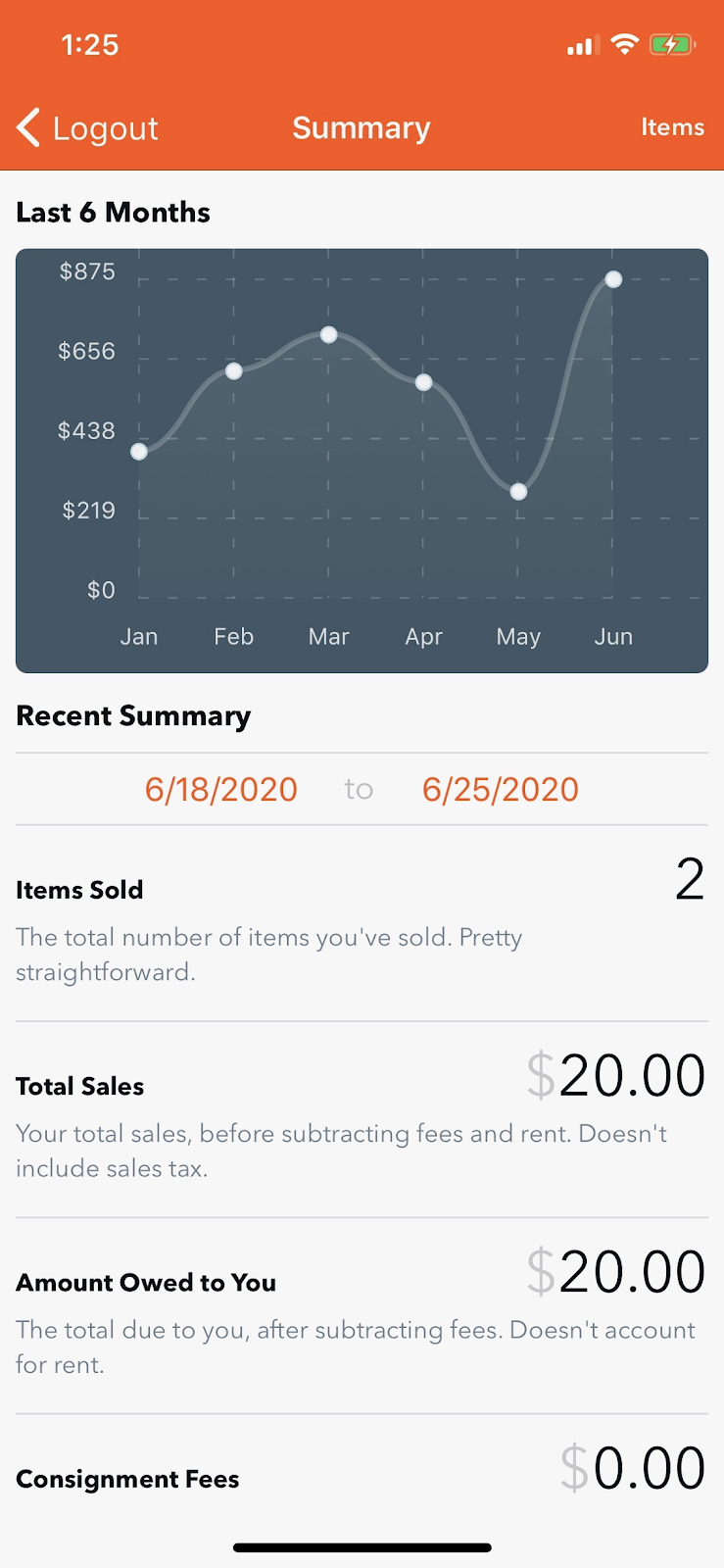
We’ve given the app a fresh look to better match with iOS 13, and added a quick chart that shows vendors’ last six months’ of sales in a glance. We’re really quite pleased with it – and as a bonus, if your vendors install the app they’ll get instant push notifications whenever they make a sale.
Until next month, happy selling! Also, be sure to have a safe and happy 4th of July.
Trevor Fountain & Chris Valeski Co-Owners, Quail