How to pass on credit card fees in Quail
There are a few ways to pass on credit card fees in Quail – you can pass this onto the customer (the one paying with the card) or you can pass this onto the vendor.
Passing card fees onto the vendors
The first way to collect card fees will be from the vendors. You can charge the vendors an additional fee for any credit card payments that are made. This will be added on a booth by booth basis. To add this fee you can simply add the percentage when crediting the booth under the Credit Card Rate. Keep in mind any transaction that is processed with credit as the payment type, whether it is credit or debit will have this fee applied.

Passing card fees onto the customer
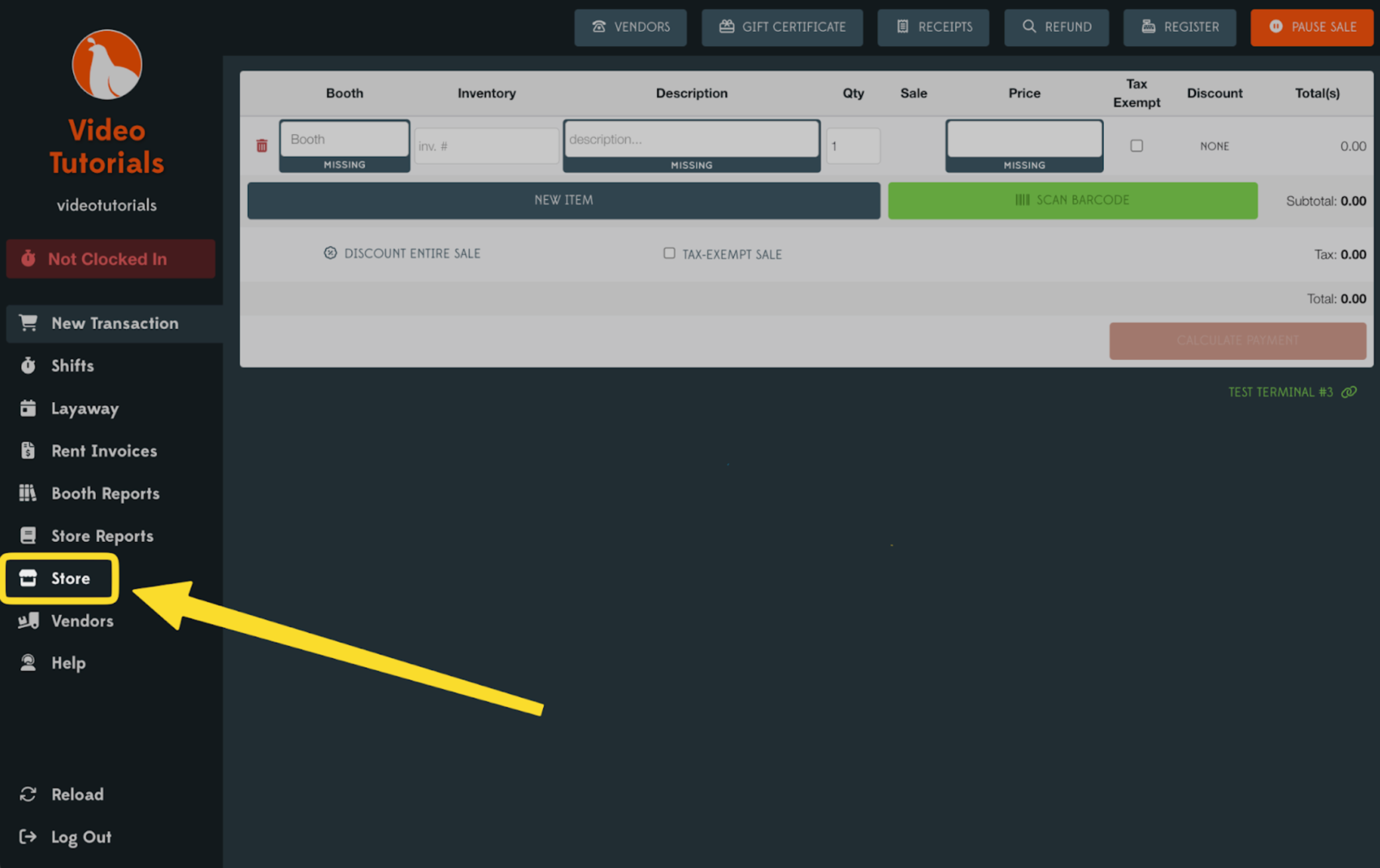
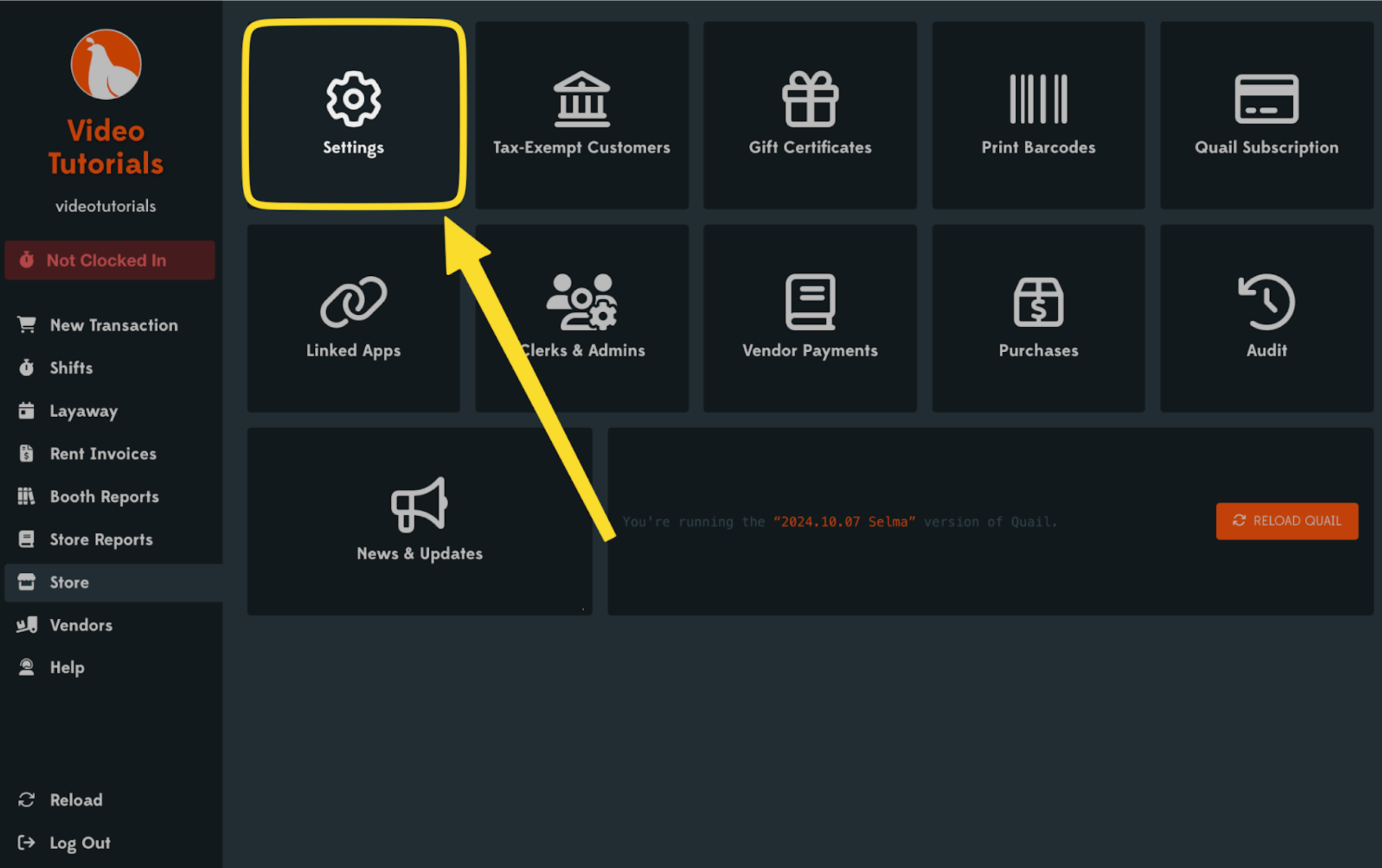
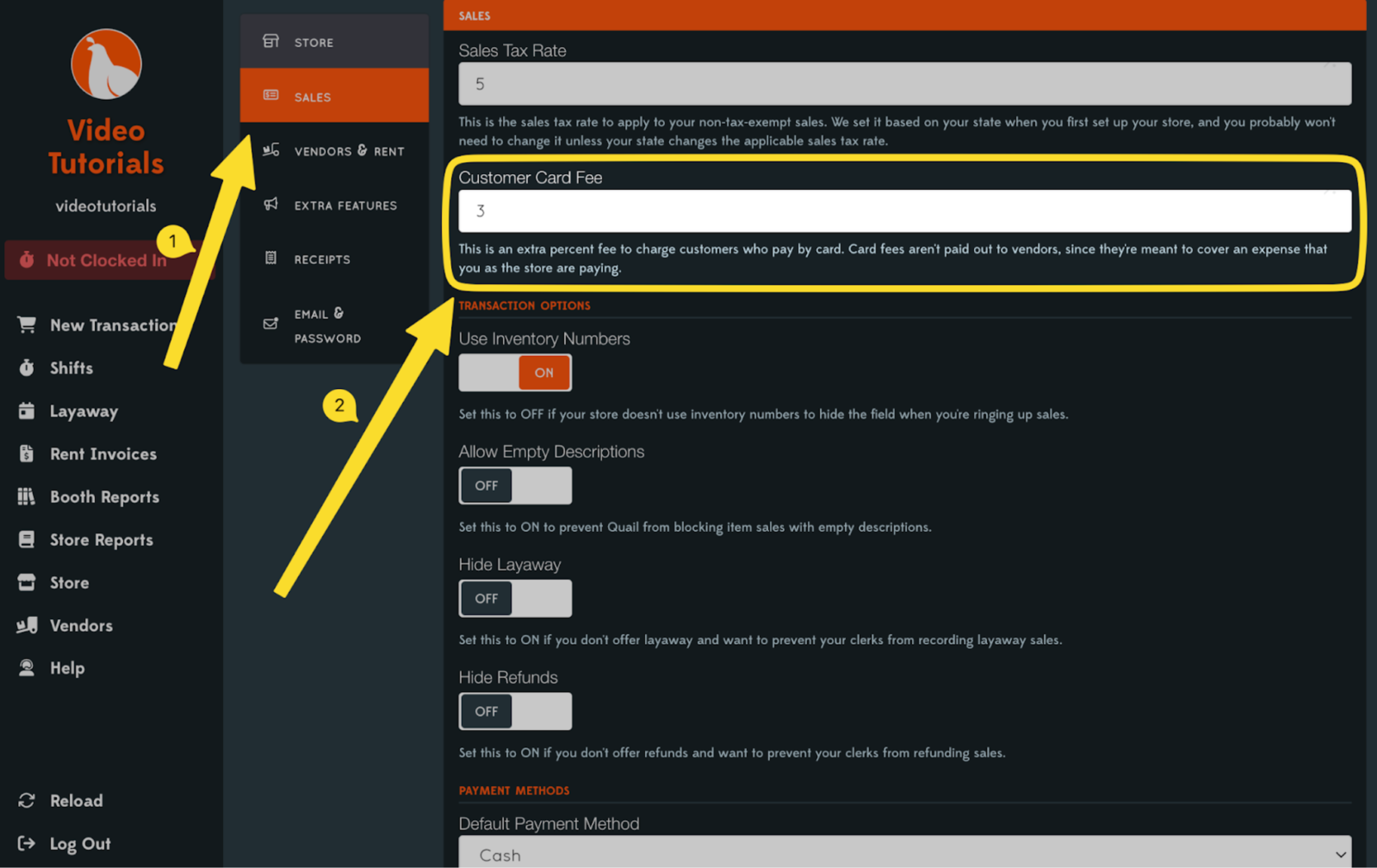
The second way to collect card fees will be from the customers that are using the card. Remember, there are specific rules that vary by state to state so please make sure you are following your local laws! You can set the credit card rate passed onto the purchaser under the Store → Settings menu.
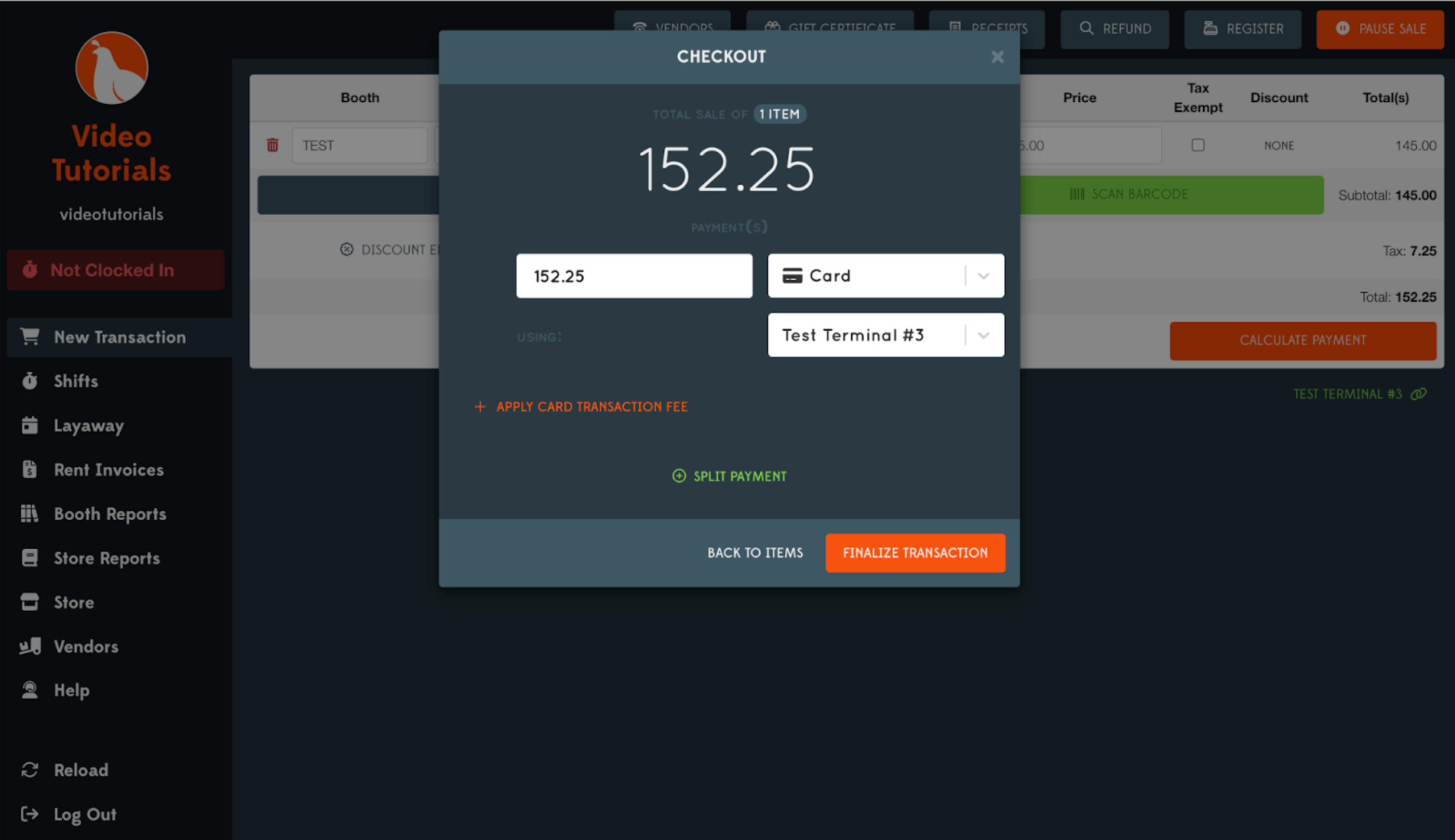
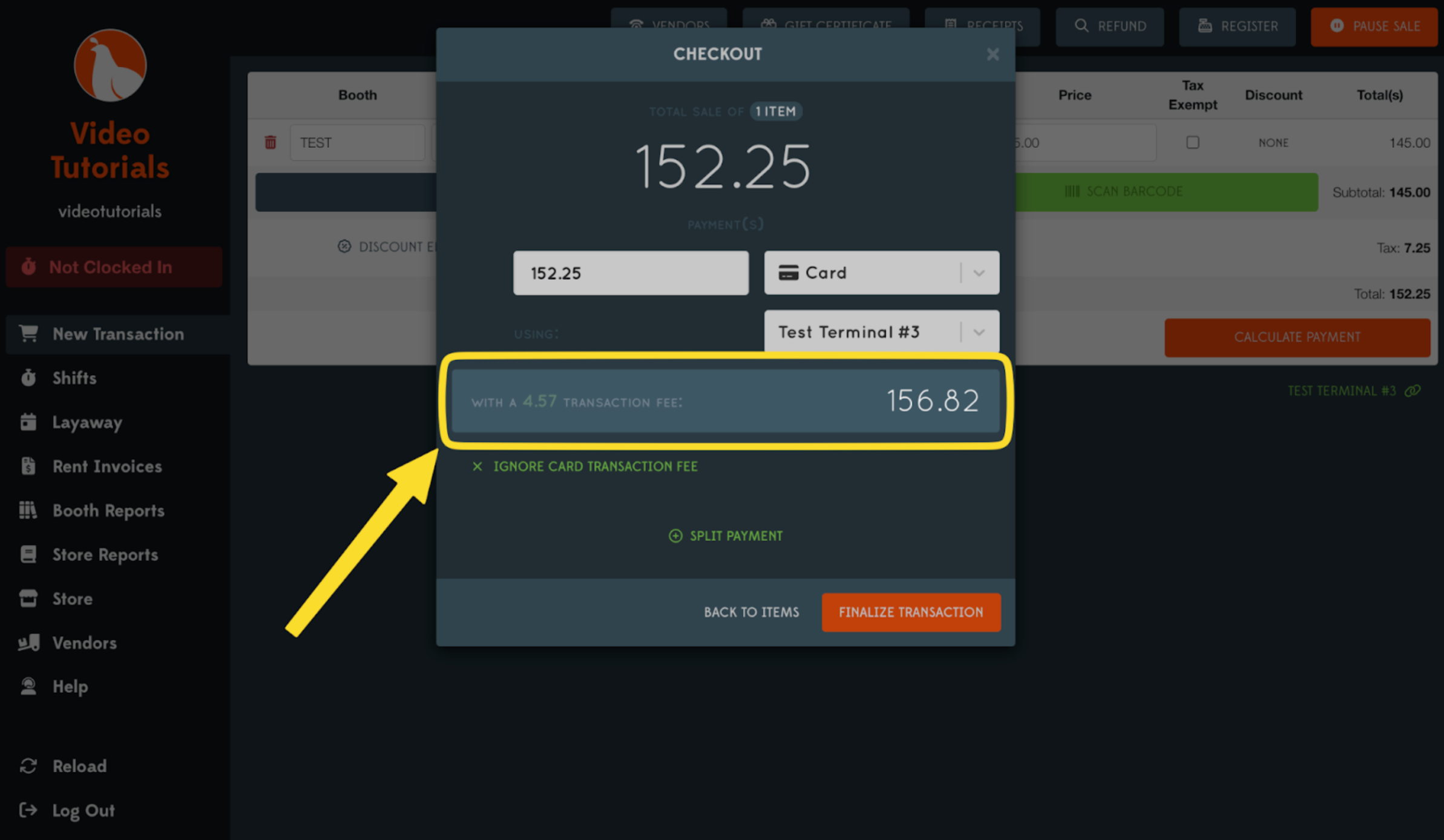
Now when processing a New Transaction while using a credit card you will see the total with the transaction fee included.
Bypassing Credit Card Fee
There are multiple states or towns that may not allow credit card fees for a certain customer or a certain card, such as debit cards. If you need to remove this on a sale by sale basis you can do so by simply selecting the Ignore Card Transaction Fee button. This will remove the card fee for this sale only.
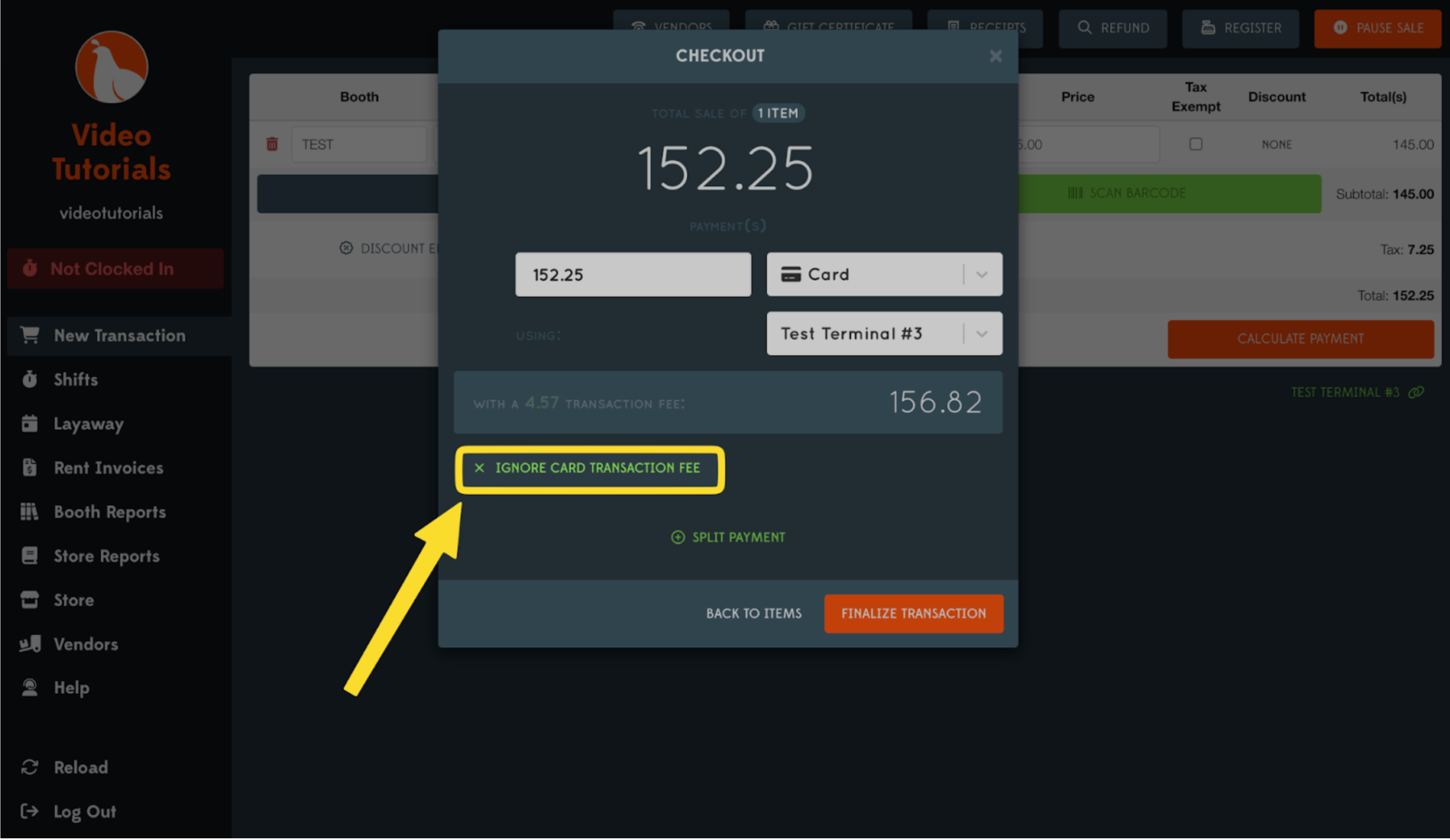
You will see that the transaction fee is then removed and the total transaction amount is left.